

Video Walkthrough
Please follow along with the video walkthrough below, demonstrating how you can enable search in SharePoint from WordPress for the embed.
Enable search in SharePoint from WordPress
It’s easy to enable search for the SharePoint Library currently embedded in WordPress. Just perform the following steps.
- Return to the M*365 Apps landing page.
- Select the embed-app for which you want to enable search.
- Click the Preview icon to open the app in preview mode.
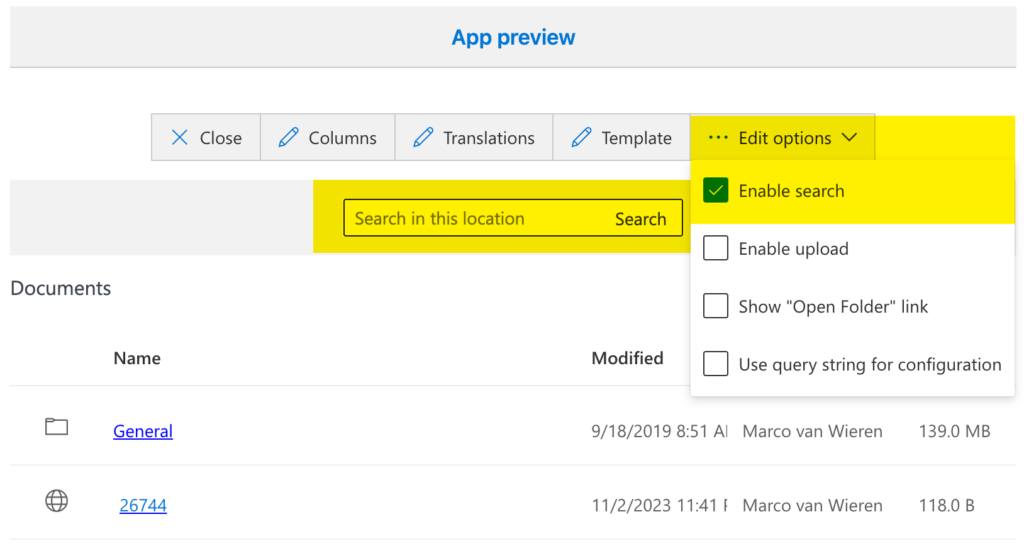
- From the Edit options click Enable search.
- Verify that the app preview is reloaded and the search box is now visible.