

After updating your website’s wp-config.php, you can – optionally – choose to delete sensitive Entra ID options from the database, when you perform the steps.
- To obfuscate the Entra ID secrets, click the corresponding option on the plugin’s Single Sign-on page (or Mail configuration page when you’re using the WPO365 | MICROSOFT GRAPH MAILER).
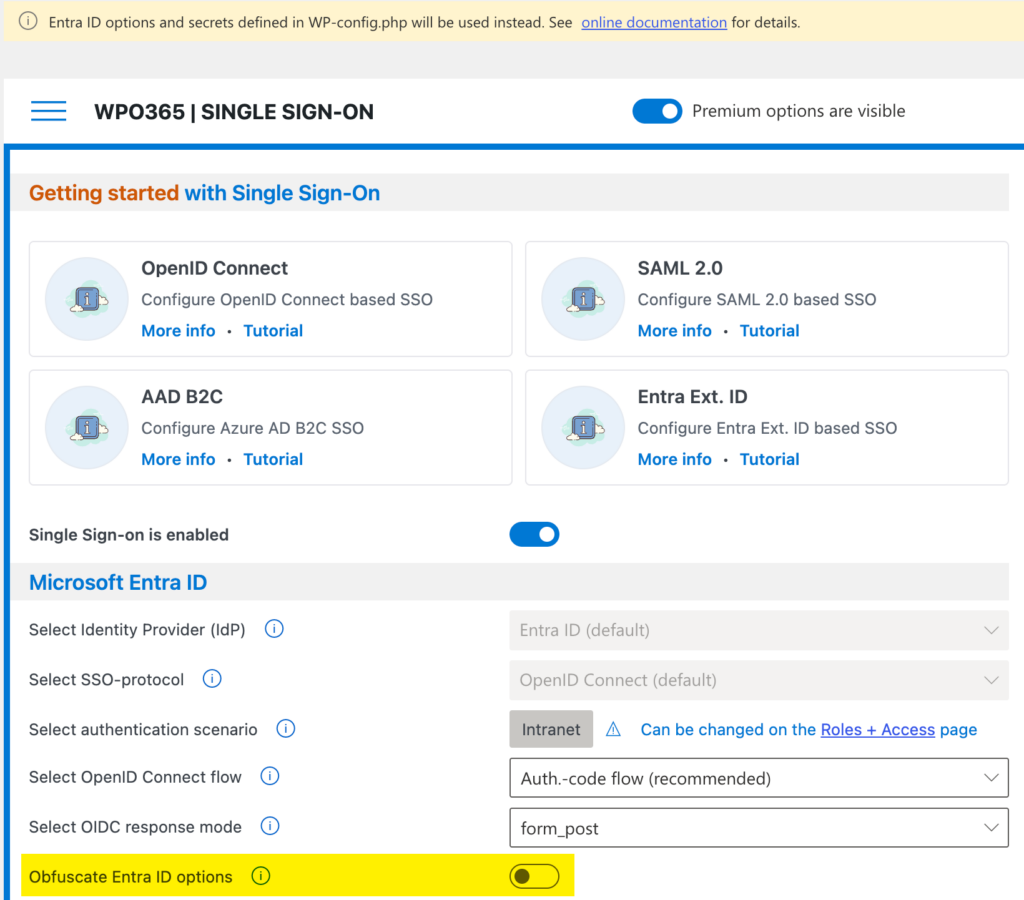
- After you toggled the Obfuscate Entra ID options settings, the values are now longer visible on the WPO365 configuration pages, as shown below.


Please note The deletion of the sensitive Entra ID options from the database can be easily reverted, when the values still exist in wp-config.php. To do so, operate the toggle once again, so it’s off. Once you reverted the destruction, you should update your site’s wp-config.php and remove the defined options.
Please note If options are defined in wp-config.php but are not deleted from the database, then the wp-config.php defined options will prevail and changes made using the configuration pages are silently ignored.